

Published by AgamiSoft | Reading time: ~14 minutes
|
TLDR ; AWS to Azure migration is a structured multi-phase program covering workload assessment, service equivalency mapping, identity and security architecture redesign, phased workload migration, and zero-downtime production cutover. Organizations following structured migration frameworks reduce deployment risk by 60–80% compared to ad-hoc migrations. Total program cost ranges from $150,000 for simple single-workload migrations to $5,000,000+ for large enterprise estates. The most common failure underestimating service mapping complexity and data transfer costs is preventable through a thorough pre-migration assessment that most organizations skip to save time. |
Why AWS to Azure Migration Has Accelerated as a Strategic Priority in 2026
AWS to Azure migration is not a rare or exotic engineering project. It is one of the most frequently executed cloud transformation programs in enterprise IT, driven by a consistent set of commercial, technical, and organizational motivations that have intensified in 2026.
Microsoft 365 and Azure integration value. Organizations running Microsoft 365, Dynamics 365, Teams, and SharePoint generate disproportionate value when their cloud infrastructure runs on Azure native integration with Azure Active Directory (now Entra ID), Azure Monitor, Microsoft Defender, and Power Platform eliminates the identity federation complexity and integration overhead that comes with running Microsoft applications on AWS. For Microsoft-ecosystem enterprises, the integration discount from Azure infrastructure is a genuine and quantifiable commercial advantage.
Microsoft enterprise licensing optimization. Azure Hybrid Benefit the Microsoft licensing program that allows organizations to apply existing Windows Server and SQL Server on-premises licenses to Azure can reduce Azure compute costs by 40–45% for Windows and SQL-heavy workloads. For enterprises with significant Microsoft licensing investment, this benefit alone frequently justifies the migration program cost within 18–24 months.
Regulatory and data sovereignty requirements. Azure's sovereign cloud regions including Azure Government (US), Azure Germany (Sovereign), and Azure's GCC High region for defense contractors satisfy regulatory requirements that AWS regions cannot meet for specific workloads. Organizations in regulated sectors migrating to meet FedRAMP High, ITAR, or UK Cyber Essentials Plus requirements may find Azure's compliance portfolio a better fit.
Vendor diversification strategy. Organizations with 100% AWS dependency are accelerating Azure adoption as a hedge against hyperscaler concentration risk both for negotiating leverage and for operational resilience against regional outage events.
The commercial logic is organization-specific but the migration methodology is consistent. The program that succeeds for a 50-workload migration uses the same structured phases as the program that succeeds for a 500-workload migration. The scale differs. The methodology does not.
What Does AWS to Azure Migration Actually Involve and What Are the Key Service Equivalencies?
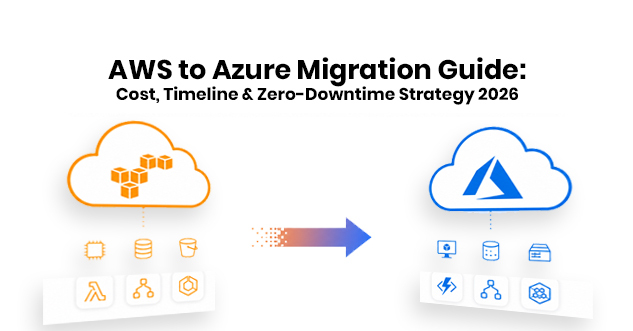
AWS to Azure migration is the structured process of moving workloads, data, applications, and infrastructure configurations from Amazon Web Services to Microsoft Azure including service substitution (replacing AWS services with Azure equivalents), identity architecture redesign (migrating from AWS IAM to Azure Entra ID), network architecture redesign (replacing AWS VPC with Azure Virtual Network), and operational tooling migration (replacing AWS CloudWatch with Azure Monitor).
It is not simply copying virtual machines from one cloud to another. Service-to-service mapping between AWS and Azure requires deliberate architectural decisions because services that perform equivalent functions are not architecturally identical differences in IAM models, networking constructs, storage APIs, and managed service configurations require design decisions, not just technical substitutions.
Core AWS to Azure Service Equivalency Map
|
AWS Service |
Azure Equivalent |
Migration Complexity |
|
EC2 (virtual machines) |
Azure Virtual Machines |
Low lift-and-shift with Azure Migrate |
|
EKS (Kubernetes) |
AKS (Azure Kubernetes Service) |
Medium manifest and config adaptation required |
|
Lambda (serverless) |
Azure Functions |
Medium runtime and trigger mapping required |
|
RDS (managed databases) |
Azure Database for PostgreSQL/MySQL/SQL |
Medium schema and connection string migration |
|
S3 (object storage) |
Azure Blob Storage |
Low AzCopy for data transfer, API differences |
|
CloudFront (CDN) |
Azure Front Door / Azure CDN |
Low configuration mapping |
|
Route 53 (DNS) |
Azure DNS |
Low zone file export/import |
|
VPC (networking) |
Azure Virtual Network (VNet) |
Medium subnet and security group redesign |
|
IAM (identity and access) |
Azure Entra ID + Azure RBAC |
High fundamentally different model |
|
CloudWatch (monitoring) |
Azure Monitor + Log Analytics |
Medium agent deployment and query translation |
|
SNS/SQS (messaging) |
Azure Service Bus / Event Grid |
Medium topic/queue model differences |
|
Cognito (user auth) |
Azure AD B2C / Entra External ID |
High user pool migration complexity |
|
DynamoDB (NoSQL) |
Azure Cosmos DB |
High data model and API differences |
|
Redshift (data warehouse) |
Azure Synapse Analytics |
High SQL dialect and architecture differences |
|
CodePipeline (CI/CD) |
Azure DevOps Pipelines |
Medium pipeline YAML translation |
Sources: Microsoft Azure Migration Center documentation 2025; AWS to Azure service mapping guide 2025.
AWS IAM to Azure Entra ID migration is consistently the most complex component of any AWS to Azure migration program because the two identity models are architecturally different. AWS IAM uses policies attached to principals (users, roles, groups). Azure Entra ID uses role-based access control (RBAC) with role assignments on resources. Every IAM policy must be analyzed, translated into equivalent Azure RBAC role assignments, and validated before any production workload is migrated.
The Cost and Timeline Numbers for AWS to Azure Migration Programs
Migration Cost by Program Scope
|
Program Scope |
Workload Count |
Estimated Program Cost |
Timeline |
|
Simple single-workload |
1–5 workloads |
$50,000–$150,000 |
6–12 weeks |
|
Small estate |
5–20 workloads |
$150,000–$500,000 |
3–6 months |
|
Mid-market estate |
20–100 workloads |
$500,000–$1,500,000 |
6–12 months |
|
Large enterprise estate |
100–500 workloads |
$1,500,000–$5,000,000 |
12–24 months |
|
Complex enterprise estate |
500+ workloads |
$5,000,000+ |
18–36 months |
Sources: Gartner Cloud Migration Cost Analysis 2025; Microsoft Azure Migration Center Pricing Guide 2025; IDC Cloud Transformation Services Report 2025.
Cost Component Breakdown
For a representative mid-market migration (50 workloads, 6-month program):
-
Assessment and planning: $40,000–$80,000 (8–12 weeks, 2–4 architects)
-
Azure infrastructure setup: $20,000–$50,000 (VNet design, security baseline, identity configuration)
-
Migration tooling and licensing: $15,000–$40,000 (Azure Migrate, database migration services, third-party tools)
-
Migration execution: $150,000–$400,000 (engineering time for workload migration waves)
-
Testing and validation: $30,000–$80,000 (functional testing, performance benchmarking, security review)
-
Data transfer costs: $10,000–$100,000 (AWS egress fees at $0.09/GB × data volume)
-
Parallel running period: $20,000–$60,000 (running both AWS and Azure during cutover period)
-
Post-migration support: $20,000–$50,000 (60-day hypercare period)
AWS data egress fees charged at $0.09/GB for data transferred out of AWS are the most consistently underestimated migration cost. For a 100TB data estate, egress fees alone are $9,000. For a 1PB data estate, they are $90,000. Offline data transfer options (AWS Snowball Edge) reduce egress costs for large data volumes but add logistics complexity.
Timeline Determinants
The four factors that most significantly extend AWS to Azure migration timelines:
-
IAM complexity organizations with hundreds of custom IAM policies require 4–8 weeks of identity architecture work before any workload migration begins
-
Database heterogeneity migrations involving DynamoDB to Cosmos DB or Redshift to Synapse require schema and query rewriting that is not automatable
-
Application-level AWS SDK dependencies applications using AWS-specific SDKs (Boto3, AWS SDK for Java) require code changes to use Azure SDKs before migration
-
Regulatory approval cycles migrations involving regulated workloads (financial services, healthcare, government) may require security assessment and regulatory approval before production cutover, adding 4–12 weeks
How to Execute AWS to Azure Migration: A 6-Phase Zero-Downtime Framework
Phase 1: Discovery and Assessment (Weeks 1–6)
A comprehensive AWS environment assessment is the highest-ROI investment in the migration program. Organizations that skip or compress this phase consistently encounter unexpected complexity undocumented service dependencies, overlooked IAM permissions, untagged resources during migration execution that causes delays and cost overruns.
The assessment must produce four specific outputs:
-
Complete workload inventory: every EC2 instance, RDS database, Lambda function, S3 bucket, and managed service in your AWS estate with documented dependencies between components
-
Service mapping document: AWS service → Azure equivalent for every service in use, with identified migration complexity rating (low/medium/high) and architectural decision required
-
Dependency graph: which applications depend on which shared services, and what migration sequence is required to avoid breaking dependencies during migration waves
-
Cost model: current AWS spend vs projected Azure spend, including Azure Hybrid Benefit potential, Reserved Instance commitments, and migration execution costs
Use Azure Migrate (free) for VM discovery and dependency analysis. AWS's own Migration Evaluator provides current cost analysis. Third-party tools like CloudAmize or Movere (acquired by Microsoft) provide deeper dependency mapping for complex estates.
Phase 2: Azure Foundation and Security Architecture (Weeks 4–10)
Build your Azure landing zone before migrating the first workload. A landing zone is the correctly configured Azure environment subscription structure, identity, networking, monitoring, and security baseline into which migrated workloads will land.
Azure Landing Zone components required before workload migration:
-
Subscription design: management group hierarchy, subscription structure aligned to business units or environments
-
Azure Entra ID configuration: synchronization from on-premises Active Directory (if applicable), guest user policies, Conditional Access policies
-
Azure RBAC structure: custom role definitions mapping to your current team responsibilities, resource group hierarchy, and delegated administration model
-
Virtual Network design: address space allocation, subnet design, network security groups, peering topology, and private endpoint configuration for managed services
-
Security baseline: Microsoft Defender for Cloud at Standard tier, Azure Policy assignments for governance, Microsoft Sentinel for SIEM
-
Monitoring foundation: Log Analytics workspace, Azure Monitor workspace, diagnostic setting policies pushing all resource logs to central workspace
Building the landing zone in parallel with Phase 1 assessment (starting in week 4) allows migration execution to begin immediately after assessment completion without a sequential dependency delay.
Phase 3: Proof of Concept Migration (Weeks 8–14)
Before migrating production workloads, execute a full end-to-end migration of one non-critical but representative application ideally one that uses compute, database, storage, networking, and identity services to validate the migration methodology, tooling, and Azure configuration against real workload behavior.
The PoC must validate:
-
VM migration using Azure Migrate Server Migration does the migrated VM boot, connect to network, authenticate correctly?
-
Database migration using Azure Database Migration Service does the migrated database contain complete, consistent data? Do application queries execute correctly?
-
Network connectivity do migrated workloads communicate with on-premises systems through VPN or ExpressRoute as expected?
-
Identity do application service accounts authenticate to Azure-hosted resources using Entra ID?
-
Monitoring are logs, metrics, and alerts flowing to Azure Monitor correctly?
A PoC that reveals unexpected issues in weeks 8–14 is a program risk that costs $20,000–$50,000 to resolve. The same issue discovered during production migration in month 8 costs $150,000–$400,000 in delayed timelines and extended parallel running.
Phase 4: Phased Workload Migration in Waves (Months 3–18)
Migrate production workloads in defined waves sequenced by dependency graph and business risk:
-
Wave 1: stateless web applications and API services with no persistent state lowest migration risk, highest organizational confidence-building value
-
Wave 2: applications with managed database dependencies (RDS → Azure Database) moderate complexity, test database migration procedures before production
-
Wave 3: data platform workloads (Redshift, data lakes, analytics pipelines) highest complexity, require dedicated data engineering resources
-
Wave 4: identity-critical applications (Cognito, federated SSO) migrate last, after Entra ID configuration is fully validated under production workload load
-
Wave 5: DR and backup systems migrate after all primary workloads are stable on Azure
Each wave follows a four-step execution pattern:
-
Pre-migration testing in Azure staging environment
-
Data synchronization setup (keeping AWS and Azure databases in sync during parallel running)
-
Traffic shifting (DNS-based or load balancer-based, starting with 5–10% of traffic)
-
Full cutover and AWS decommission on confirmed Azure stability
Phase 5: Zero-Downtime Cutover Execution
Zero-downtime cutover for stateless web applications uses a DNS-based traffic shifting approach:
-
Deploy application to Azure and validate functionality
-
Reduce DNS TTL to 60 seconds (24 hours before cutover)
-
Shift 10% of traffic to Azure, monitor for 30 minutes
-
Shift 50% of traffic to Azure, monitor for 60 minutes
-
Shift 100% of traffic to Azure, maintain AWS deployment for 48 hours
-
Decommission AWS resources after 48-hour stability confirmation
For stateful applications requiring database migration with zero data loss, use the Blue-Green cutover model:
-
Set up Azure environment as the "blue" environment running in parallel with AWS "green"
-
Enable continuous data replication from AWS (RDS) to Azure (Azure Database) using DMS or native replication
-
Verify replication lag is below 5 seconds
-
Schedule maintenance window (2–4 hours off-peak)
-
Stop writes to AWS database, wait for replication lag to reach zero
-
Switch DNS to Azure endpoint, verify connectivity
-
Resume writes to Azure database
Phase 6: Post-Migration Optimization and AWS Decommission (Months 12–24)
Migration completion is not the end of the program. Post-migration activities that consistently generate the highest ROI:
-
Reserved Instance commitment purchasing: buy 1-year Azure Reserved Instances for stable baseline workloads 30 days after migration stabilization delivering 30–45% compute cost reduction
-
Azure Hybrid Benefit activation: apply existing Windows Server and SQL Server licenses to Azure VMs and Azure SQL 40–45% cost reduction for eligible workloads
-
Rightsizing: use Azure Advisor recommendations to identify over-provisioned VMs and databases after 14 days of production load data
-
AWS resource decommission: maintain a structured decommission schedule every day of parallel running costs money; run AWS resources in parallel no longer than the defined rollback window
Which Azure Migration Tools and Services Deliver Best Results in 2026?
Azure Migrate Microsoft's free migration hub discovery, assessment, dependency analysis, and migration execution for VMs, databases, and web applications. Azure Migrate Server Migration handles lift-and-shift VM migration for both Hyper-V and VMware-hosted VMs as well as physical servers. The dependency analysis feature maps communication between services, identifying hidden dependencies that manual documentation misses. Every AWS to Azure migration should start here.
Azure Database Migration Service (DMS) Microsoft's managed database migration service supports online migrations (continuous data replication with near-zero cutover downtime) and offline migrations for SQL Server, PostgreSQL, MySQL, MongoDB, and Oracle sources to Azure Database equivalents. Online migration is essential for databases that cannot tolerate a maintenance window for cutover DMS keeps the Azure database synchronized with the AWS source until the cutover moment.
AzCopy Microsoft's command-line data transfer tool optimized for Azure Blob Storage and Azure Files the standard tool for migrating S3 buckets to Azure Blob Storage. AzCopy supports parallel transfers, bandwidth throttling, and resumable transfers for large data volumes. For S3 to Blob Storage migration, AzCopy achieves transfer rates of 1–8 Gbps depending on network capacity.
Azure Arc Azure Arc extends Azure management Azure Policy, Azure Monitor, Azure Defender, and Azure RBAC to AWS EC2 instances during the migration period, enabling unified governance across AWS and Azure before cutover is complete. For multi-cloud organizations that will maintain both AWS and Azure long-term, Arc provides the permanent management plane for hybrid cloud governance.
Movere (Microsoft) Acquired by Microsoft and integrated into Azure Migrate, Movere provides detailed software inventory and utilization analysis identifying which workloads can be retired rather than migrated (typically 15–25% of enterprise estates), which should be modernized rather than lifted-and-shifted, and which have licensing implications for the Azure environment.
CloudEndure Migration (AWS-owned, used transitionally) AWS's own migration service supports replication-based lift-and-shift migration from AWS to other environments. Although counterintuitively offered by AWS, CloudEndure is used by some migration programs during the transition period replicating AWS workloads to Azure staging environments for testing before cutover.
Explore our Azure Cloud Services and Cloud Migration Consulting capabilities for organizations planning or executing AWS to Azure migration programs requiring assessment, architecture design, and zero-downtime execution support.
What Goes Wrong With AWS to Azure Migration Programs and How to Prevent Each Failure
Failure 1: Underestimating IAM Migration Complexity
AWS IAM and Azure Entra ID have fundamentally different permission models. Organizations that attempt to migrate production workloads before completing IAM-to-RBAC translation consistently encounter authentication failures applications that cannot connect to Azure resources because their service account permissions were not correctly mapped. IAM migration must be completed and validated in a test environment before any application workload migration begins. Allocate 4–8 weeks specifically for identity architecture work, separately from workload migration planning.
Failure 2: Not Accounting for AWS Egress Fees in the Migration Budget
AWS charges $0.09 per GB for data transferred out of AWS to the internet. A 500TB data estate costs $45,000 in egress fees alone a figure that appears nowhere in migration vendor quotes but appears prominently in the final AWS bill. For large data volumes, AWS Snowball Edge (physical data transfer appliance) eliminates egress fees but adds $300–$500 per device plus logistics cost and 2–4 weeks of lead time. Model egress costs explicitly in your migration budget before program approval, and evaluate Snowball Edge for any data estate above 50TB.
Failure 3: Migrating Applications With Hardcoded AWS Service Endpoints
Applications developed on AWS frequently contain hardcoded references to AWS service endpoints S3 bucket URLs, RDS connection strings, Cognito endpoints, SQS queue ARNs within application configuration, environment variables, or application code. These references must be identified, externalized to configuration management, and mapped to Azure equivalents before migration. Automated scanning tools (AWS Migration Hub, custom grep-based scripts) can identify hardcoded endpoints in code repositories. The remediation externalizing configuration and updating connection strings is straightforward; the risk is missing occurrences in undocumented code paths that only manifest under specific execution conditions.
Failure 4: Running AWS and Azure in Parallel Without a Defined Decommission Schedule
Organizations that complete workload migration but defer AWS decommission "until we're confident" consistently pay for both AWS and Azure for 6–12 months beyond their planned cutover date. Parallel running costs typically $20,000–$80,000/month for a mid-market estate accumulate quickly and are politically difficult to eliminate once engineering teams become accustomed to the safety net. Define your maximum parallel running period (recommendation: 30 days per wave) and AWS resource decommission dates before migration begins. Treat decommission as a migration deliverable, not a post-migration optional activity.
Frequently Asked Questions
Why Do Organizations Migrate From AWS to Azure?
Organizations migrate from AWS to Azure for four primary commercial reasons. First, Microsoft 365 and Azure native integration eliminates identity federation overhead and unlocks Power Platform and Dynamics 365 capabilities that run natively in Azure. Second, Azure Hybrid Benefit reduces compute costs by 40–45% for organizations with existing Windows Server and SQL Server licenses a saving unavailable on AWS. Third, regulatory requirements in specific sectors (US defense, European financial services, UK government) are better satisfied by Azure's compliance portfolio than AWS equivalents. Fourth, enterprise licensing negotiations Microsoft EA (Enterprise Agreement) consolidation produce commercial advantages when Azure consumption is included in an existing Microsoft licensing relationship.
How Long Does AWS to Azure Migration Take?
AWS to Azure migration timeline depends primarily on estate size and complexity. Simple migrations of 5–20 workloads with straightforward service equivalencies complete in 3–6 months. Mid-market migrations of 20–100 workloads typically require 6–12 months. Large enterprise migrations of 100–500 workloads require 12–24 months. Complex estates with significant database heterogeneity (DynamoDB, Redshift), large data volumes requiring offline transfer, or regulated workloads requiring security assessment and approval add 20–40% to any baseline timeline estimate. The assessment phase (typically 6–8 weeks) is the highest-leverage investment for accurately predicting the program timeline before committing to a fixed delivery date.
What Are the Most Common Challenges in AWS to Azure Migration?
The five most common AWS to Azure migration challenges are: IAM-to-Entra ID translation complexity the two identity models are architecturally different, requiring deliberate RBAC design rather than policy translation; database heterogeneity DynamoDB to Cosmos DB and Redshift to Synapse Analytics migrations require application-level query rewriting that automation cannot fully handle; hardcoded AWS service dependencies in application code S3 URLs, SQS ARNs, and Cognito endpoints embedded in application logic rather than configuration; underestimated AWS egress fees at $0.09/GB, large data estates generate migration-specific cloud bills that are frequently absent from program budgets; and extended parallel running organizations that don't enforce decommission deadlines pay dual cloud bills for months beyond the planned program completion.
Complete the Assessment Before You Size the Program. Map IAM Before You Move the First Workload.
AWS to Azure migration succeeds on time, on budget, with zero downtime when two preconditions are met before any workload migration begins: a thorough assessment that maps every service, dependency, and data volume in your AWS estate, and a completed IAM-to-Entra-ID translation validated in a test environment.
Organizations that compress or skip the assessment phase to accelerate migration start dates consistently extend their total program timelines by 40–60% as unexpected complexity undocumented dependencies, unmapped IAM policies, unaccounted egress volumes is discovered during execution rather than planning. The assessment is not overhead. It is the program design document that determines whether your migration budget is accurate by $50,000 or $500,000.
Commission your Azure Migrate assessment this month. Assign dedicated identity architecture resources before any other migration work begins. Model your egress costs against your actual data volume today. Define your decommission schedule before the first workload leaves AWS. These four decisions, made before migration begins, determine whether your program is remembered as a success or a cautionary story.
To plan and execute an AWS to Azure migration program with structured assessment, zero-downtime cutover methodology, and post-migration cost optimization, explore our Azure Cloud Services and Cloud Migration Consulting capabilities structured for cloud architects and enterprise IT teams who need migration programs delivered on schedule and within cost models that account for every fee, not just licensing.